
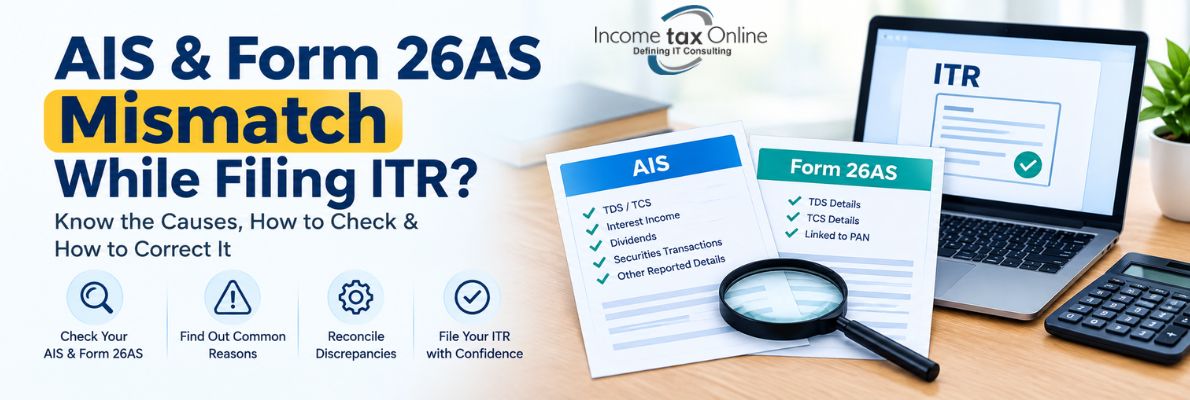
AIS & Form 26AS Mismatch While Filing ITR: Causes, How to Check & How to Correct It
Before filing your Income Tax Return (ITR), check your AIS and Form 26AS. They help you verify your TDS, tax payments and income details before you submit the return.
Sometimes, the information shown in AIS or Form 26AS may be different from your own records. For example, TDS deducted by your employer or bank may not appear correctly, or AIS may show a transaction that you do not have in your records.
If you notice any such difference, check it before submitting your ITR. A little reconciliation at this stage can help you avoid problems with your TDS credit, income details or tax calculation later.
What Are AIS and Form 26AS?
What is AIS?
The Annual Information Statement (AIS) shows different types of financial information reported to the Income Tax Department. It may include details of TDS and TCS, interest income, dividends, securities transactions, specified financial transactions (SFT), tax payments and other reported transactions.
AIS also allows taxpayers to submit feedback on certain information displayed in the statement.
What is Form 26AS?
Form 26AS shows the TDS and TCS details linked to your PAN. You can view it online from the Income Tax e-Filing portal.
Compared with Form 26AS, AIS contains more details, including information about interest, dividends, securities transactions and other financial activities reported to the Income Tax Department.
AIS vs Form 26AS: What Is the Difference?
|
Particular |
AIS |
Form 26AS |
|
TDS information |
Yes |
Yes |
|
TCS information |
Yes |
Yes |
|
Interest/dividend information |
May be reported |
Generally not the primary focus |
|
SFT information |
Yes |
Not the primary focus |
|
Other reported information |
Yes |
Limited |
|
Feedback facility |
Available for eligible information |
No equivalent AIS-style feedback facility |
Therefore, taxpayers should not rely on only one statement while preparing their ITR. Checking AIS, Form 26AS, Form 16/Form 16A, bank statements and other income records can help identify discrepancies before filing.
What Is an AIS or Form 26AS Mismatch?
An AIS or Form 26AS mismatch occurs when the information shown in these statements does not agree with your own records or the information you intend to report in your ITR.
For example:
-
Your employer deducted ₹50,000 TDS, but only ₹40,000 appears in Form 26AS.
-
Interest income shown in AIS is different from your bank interest certificate.
-
A transaction appears in AIS that you do not recognise.
-
TDS appears in Form 26AS but the corresponding income has not been considered while preparing the return.
-
The TDS amount entered in your ITR is higher than the amount available in Form 26AS.
-
Your PAN or other details may have been incorrectly reported by the deductor.
A mismatch does not automatically mean that your ITR is wrong. It means that the information should be reconciled and verified before you file or respond to any tax communication.
Common Reasons for AIS and Form 26AS Mismatch
1. TDS Return Has Not Been Updated
The employer, bank or other deductor may have deducted TDS but may not yet have correctly reported it or may have filed a correction later.
If TDS is missing or incorrect, the deductor may need to file a revised TDS statement.
2. Incorrect PAN Details
If the deductor enters an incorrect PAN while filing the TDS statement, the tax credit may not appear correctly in your account.
3. Difference in TDS Amount
The amount shown on your Form 16 or Form 16A may differ from the amount reflected in Form 26AS. This should be checked with the employer or deductor.
4. Income Reported by a Third Party
AIS may contain information reported by banks, financial institutions, registrars, employers or other reporting entities.
If you do not recognise a transaction, check the source and supporting records before reporting it in your ITR.
5. Timing Difference
Information may not appear immediately after a transaction, TDS deduction or correction. A statement filed or corrected by a deductor may take time to reflect.
6. Wrong or Duplicate Information
In some cases, information reported to the tax department may contain errors or duplication. AIS provides a feedback facility for eligible information so that taxpayers can communicate discrepancies.
How to Check AIS and Form 26AS Before Filing ITR
Before filing your ITR, follow these steps.
Step 1: Login to the Income Tax e-Filing Portal
Log in to your account on the official Income Tax e-Filing portal using your PAN and login credentials.
Step 2: Check AIS
Access AIS from the e-Filing portal and select the relevant financial year.
Review the information carefully, including:
-
TDS/TCS
-
Interest income
-
Dividend income
-
Securities transactions
-
SFT information
-
Tax payments
-
Other reported information
AIS can be downloaded in formats including PDF, JSON and CSV.
Step 3: Check Form 26AS
Also check your Form 26AS and compare the TDS/TCS information with:
-
Form 16
-
Form 16A
-
Salary records
-
Bank statements
-
Interest certificates
-
Other TDS certificates
Step 4: Compare With Your ITR Data
Before filing your return, compare the income and TDS details in your ITR with your Form 16, Form 26AS, AIS, bank statements and other records.
If you find any difference, check the details with your employer, bank or the concerned deductor and get them corrected if required.
What to Do If AIS Shows Incorrect Information?
If you find incorrect information in AIS, first identify the reporting source.
For eligible information, you can submit feedback through AIS. The feedback process allows you to select the relevant information and provide the appropriate response.
Keep supporting documents such as:
-
Bank statements
-
Form 16/Form 16A
-
Investment statements
-
Contract or transaction records
-
Payment receipts
-
Other relevant documents
If the information was reported incorrectly by a third party, contact the concerned reporting entity where appropriate.
What to Do If TDS Is Missing or Incorrect in Form 26AS?
If TDS has been deducted but is not correctly reflected in Form 26AS, contact the employer, bank or other deductor.
The deductor may need to correct the TDS statement. The Income Tax Department states that in case of a TDS mismatch, the taxpayer should inform the responsible deductor who may need to file a revised TDS return.
Do not claim a TDS credit merely because TDS was deducted if the required tax-credit information is not correctly available for verification.
What If TDS in Your ITR Does Not Match Form 26AS?
The e-Filing portal provides a Tax Credit Mismatch service that can show differences between the TDS/TCS or other tax-payment details reported in the ITR and those reflected in Form 26AS.
The Income Tax Department's current guidance says taxpayers can access the service through the e-Filing portal under Services → Tax Credit Mismatch after filing the relevant ITR.
If a mismatch is identified, check whether the error is in:
-
The ITR
-
Form 26AS
-
The TDS statement filed by the deductor
-
Tax challan details
Then take the appropriate corrective action.
Can You Correct an ITR After Filing?
Yes, depending on the situation, correction may be possible through a revised return or, where applicable, a rectification request.
For example, the Income Tax Department states that if there is a TDS mismatch, the deductor may need to correct the TDS statement.
For certain other tax-credit mismatches, a revised return or rectification may be available depending on whether the return has been processed and whether an intimation has been received.
For a processed return, the e-Filing portal also provides a Tax Credit Mismatch Correction option for correcting eligible TDS/TCS or challan details.
Important: Do Not Ignore an AIS Mismatch
An AIS entry should not simply be ignored because you believe it is incorrect.
First, verify the transaction using your own records. If the information is incorrect, use the available AIS feedback mechanism where applicable and maintain supporting documents.
Similarly, if TDS is missing from Form 26AS, resolve the issue with the deductor as early as possible rather than waiting until after the ITR is processed.
AIS & Form 26AS Mismatch Checklist Before Filing ITR
Use this quick checklist before submitting your return:
-
Check your AIS for the correct financial year.
-
Download and review Form 26AS.
-
Compare TDS with Form 16/Form 16A.
-
Check bank interest and dividend income.
-
Review securities and other reported transactions.
-
Verify advance tax and self-assessment tax payments.
-
Match income reported in AIS with your actual records.
-
Check that the TDS claimed in the ITR is supported by Form 26AS.
-
Submit AIS feedback for incorrect eligible information.
-
Contact the employer, bank or deductor if TDS details are incorrect.
-
Keep supporting documents for your reconciliation.
Frequently Asked Questions
Q.1 Is AIS the same as Form 26AS?
Ans: No. AIS and Form 26AS are different statements. Form 26AS primarily provides TDS/TCS information, while AIS provides a broader range of reported financial and tax-related information.
Q.2 Why is my TDS not matching Form 26AS?
Ans: Common reasons include incorrect PAN details, errors in the deductor's TDS statement, differences in reported amounts, or a correction that has not yet been reflected.
Q.3 What should I do if TDS is deducted but not showing in Form 26AS?
Ans: Check your Form 16/Form 16A and contact the employer, bank or other deductor. The deductor may need to correct and re-file the relevant TDS statement.
Q.4 Can I claim TDS that is not showing in Form 26AS?
Ans: TDS claims should be supported by the applicable tax-credit records. The Income Tax Department states that tax credit claimed in the ITR is restricted to the amount reflected in Form 26AS in the relevant mismatch context.
Q.5 Can incorrect AIS information be corrected?
Ans: You can submit feedback on eligible information displayed in AIS. If the issue originates from a reporting entity, you may also need to contact that entity for correction.
Q.6 What happens if I find a mismatch after filing my ITR?
Ans: The appropriate action depends on the type of mismatch and the status of your return. Depending on the circumstances, you may need to correct the TDS statement through the deductor, file a revised return, or use an applicable rectification process.
Final Takeaway
Checking AIS and Form 26AS before filing your ITR can help you identify TDS, income and tax-payment discrepancies at an early stage.
Do not assume that every difference is an error. First compare the information with your Form 16, Form 16A, bank statements, investment records and other supporting documents. If the discrepancy is genuine, take the appropriate corrective action with the deductor or through the relevant Income Tax e-Filing facility.
For taxpayers dealing with multiple income sources, business or professional income, investments or significant TDS transactions, proper reconciliation before filing can help reduce the risk of tax-credit mismatches and unnecessary follow-up after return processing.
Need help with ITR filing or tax-credit reconciliation? A tax professional can review your AIS, Form 26AS and supporting documents before filing and help identify discrepancies that need correction.